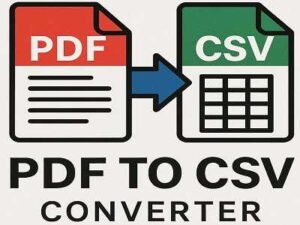
Convert your PDF files into clean, readable CSV in seconds. Just upload your PDF, click convert, and download your spreadsheet instantly. No sign-ups, no complications, and no software to install just fast, easy, accurate PDF to CSV conversion right in your browser.
PDF to CSV Converter
Extract all text from a PDF file and download as CSV.
Quick PDF Table & Text Extraction
Turn your PDF files into CSV instantly. Just upload your file, convert it, and download your spreadsheet no account, no extra steps.
Safe and Secure File Handling
Your privacy matters. All conversions use secure connections, and your files are automatically deleted shortly after processing. Nothing is stored or shared.
Works on Any Device
Use this tool on any computer, tablet, or phone. Whether you’re on Windows, Mac, Linux, Android, or iOS, your PDF to CSV conversions work smoothly.
Fast, Free, and Simple
Designed for everyone whether you’re handling business data or cleaning simple lists. Just choose your PDF, click convert, and your CSV file is ready within moments. No hidden steps, no complications.
Clean and Accurate Results
The tool extracts text neatly, helping you get a CSV that’s easy to edit or analyze. Perfect for spreadsheets, accounting, data entry, research, and more.
FAQs
1. What does this tool do?
It converts your PDF file into an RTFD file that you can easily edit or use in different text editors.
2. Do I need to install anything?
No, everything works online. Just upload your PDF and convert it.
3. Is this converter free to use?
Yes, you can use it completely free without creating an account.
4. Will my file quality stay the same?
Yes, the tool keeps your text and formatting as close as possible to the original PDF.
5. Are my files safe here?
Your files stay private. They’re processed securely and deleted automatically after conversion.
6. How long does the conversion take?
Usually just a few seconds depending on your file size.
7. Can I use it on my phone?
Yes, it works on phones, tablets, and computers. No special app needed.
8. What if my PDF has images?
Images are included whenever possible, but complex layouts may look slightly different in the RTFD file.
9. What types of PDFs can I upload?
You can upload scanned PDFs, text PDFs, or mixed documents the tool handles most formats.
10. Do you keep my files saved anywhere?
No, your files are never stored. They are removed automatically after processing.