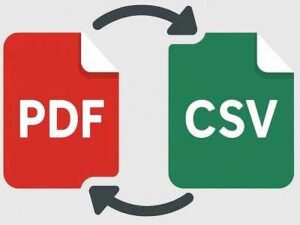
Convert your PDF files into clean, editable spreadsheets in seconds. Just upload your PDF, let our tool extract the text, and download your CSV file instantly. No sign-ups, no complicated steps fast, easy, and works on any device.
PDF to Google Sheets Converter
Convert PDF files into CSV spreadsheet format.
How to Convert PDF to Sheet Online for Free
- Drag and drop your PDF file into the box above.
- If your file is scanned, use OCR (Pro feature).
- Wait a moment while your PDF is converted into a spreadsheet.
- Download your new CSV file and you’re done!
Quick PDF Conversion Without Sign-up
No need to create an account. Upload your PDF, convert it to a spreadsheet, and download your CSV file instantly simple and fast.
Safe and Secure File Handling
Your privacy is important. We use secure connections to protect your files, and all uploaded documents are automatically deleted from our servers after ten minutes.
Clean & Accurate Spreadsheet Output
We make sure your converted CSV files stay readable and structured. Extracted text stays organized for easy editing inside Google Sheets, Excel, or any spreadsheet app.
Convert Anytime, Anywhere
The converter runs entirely in your browser. No software installation required whether it’s day or night, you can convert your files whenever you need.
Keeps Your Data Organized
Your converted sheet keeps tables, text, and layout neat so you can edit, sort, and work with your data right away.
Fast, Free, and Easy to Use
Our tool is designed for everyone. No complicated steps or hidden fees. Just upload, convert, and download in seconds.
FAQs
1. Is this PDF to Sheet converter free to use?
Yes! You can convert your PDF files to CSV for free. No sign-ups or hidden charges.
2. Will my file layout stay the same after conversion?
We do our best to keep your data clean and organized. Simple tables convert very well, but complex designs may look a bit different.
3. Is it safe to upload my PDF here?
Absolutely. Your files are kept private and are automatically deleted from our servers after ten minutes.
4. Can I convert scanned PDFs?
Yes, but you’ll need to enable OCR (if available). OCR reads text from scanned or photographed pages.
5. What devices does this tool work on?
Anything with a browser Windows, Mac, Linux, iPhone, Android, tablets, Chromebooks, all work perfectly.
6. What format will I get after conversion?
You’ll receive a clean CSV file, which you can open in Excel, Google Sheets, or any spreadsheet app.